'Avatar' Home Energy App

User Experience (UX) and User Interface (UI) Design
Jan 2023 - Jun 2023
Project Brief:
How can personal interactions with energy be made more visible and tangible?
Mission:
The goal was to create an energy budgeting app actively helps you budget, it supports people in the household with controlling and monitoring their energy consumption.  
Problem space:
Rising energy bills and uncertainty about energy consumption are having a negative effect on households. Whilst users find smart technologies very informative and useful; there are users -such as children and other groups - who struggle to understand. Through optimising and engaging design, ‘Avatar’ seeks to keep all users informed.
Contributions ✅
- Conducting user interviews, usability testing, questionnaires, and cultural probes to understand user behaviour and needs.
- The survey and cultural probes were used to uncover user needs, pain points and routines around household energy consumption.
- Protoyping and concept development: after research stage selecting the most appropriate concept (energy budget app fo households) and then creating tangible experience prototypes e.g Monopoly cash budget to simulate appliance usage to validate design decisions.
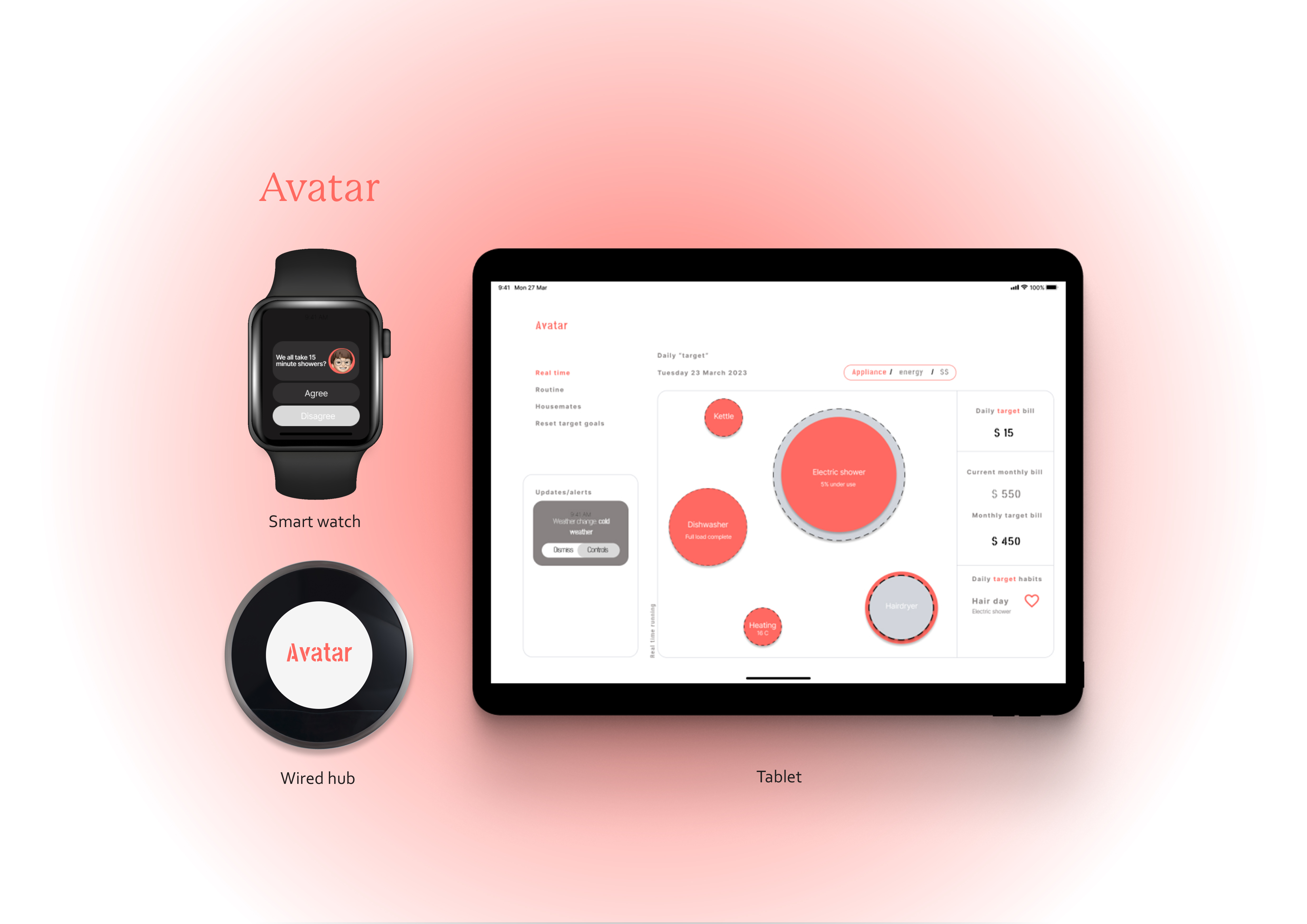
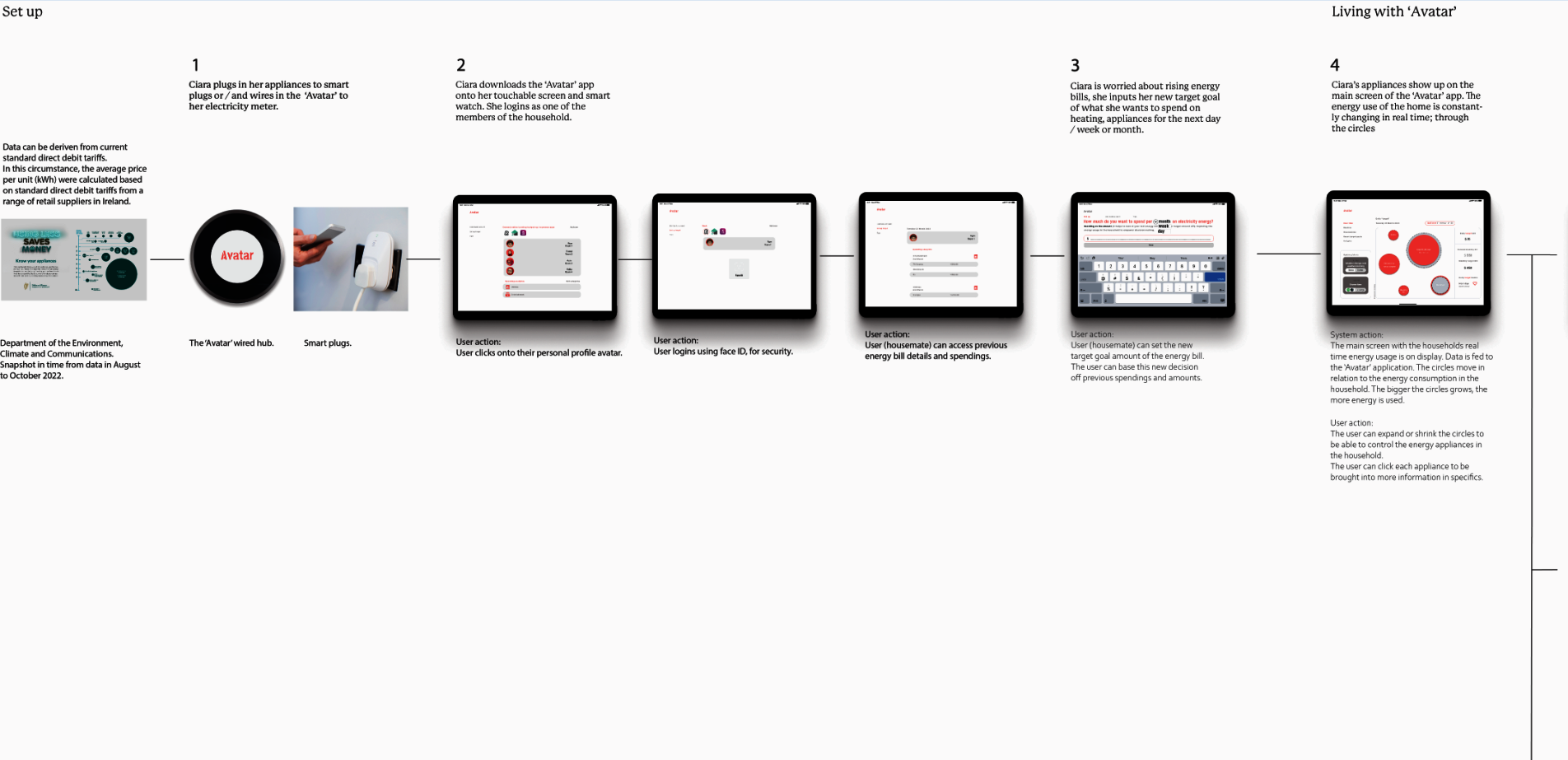
- Designing the final solution: Information Architecture, UI screens for smart watch and tablet devices to enable real time monitoring, budget control, and household management of energy.
Tools used:
Figma, Miro, Zoom meetings

Impact and Results 📊
- The design goal was to create a stress-free user experience to help users save on their energy bill, and a tangible way to visualise energy consumption.
- Specific user insights gathered via prototyping; users found it "hard to decide which appliance to cut back on, I need more guidance on what uses the most energy."
- The app's features indicate clear support for real life outcomes, users are supported budgeting and having awareness of household energy.

The problem
Empathise stage
1. Visual design (UI) of home energy monitors
The problem:
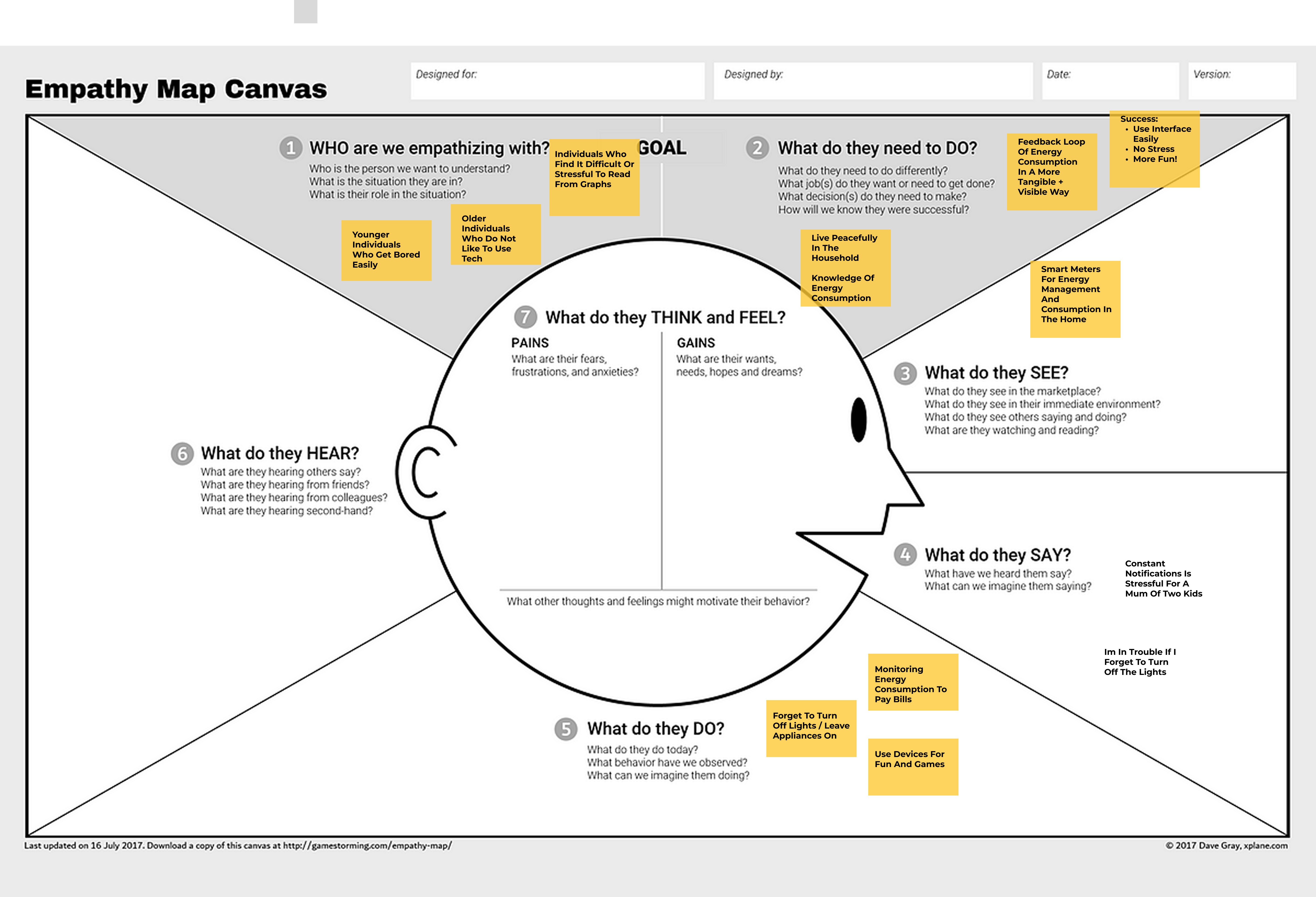
the emotional effect of smart technology, people are becoming stressed out looking at graphs and alarming colours.
The solution (end product is): soft colours, playful and inclusive design with circles to interact with.
Audience specific benefits: less anxiety, everyone in the household can participate.

2. Rising energy prices
The problem:
people are struggling with rising energy prices.
The solution (end product is):
goal orientated budgeting app to help users manage their energy bill, breaking it down by how specifically you can change behaviour around the household to meet your needs + wants within the goal you’ve set.
Audience specific benefits:
tangible feedback, pre-emptive planning and real time information for managing energy bill.

3. One sole controller of the home energy applications
The problem:
responsibility falls onto one person in the household, other household dwellers are unaware or do not care for energy that they are consuming, this user is usually the one paying the bills.
The solution (end product is): inclusive, interactive and engaging design.
Audience specific benefits:
1.
Responsibility is spread across all users or individuals in the household.
2.
An awareness of energy consumption and tangible feedback for all users to understand can change human behaviour and reduce costs to the energy bill.

Framing the problem:
- Disconnect / disassociation
- Anxiety inducing design
- Energy prices rising
- Environmental impact / dependence on fossil fuels
Define
UX Methodologies chosen: 1. User Survey and 2. Cultural Probe.
I want to understand the user needs and as well as any pain points along the user journey within the context (household) of the project.
#1 User survey (21 Participants)
Research methodology
:To get to know the project target audience and what type of energy consumer the users within the household?
This will help with iterative stage of designing the screens.

Questions from the survey:
1. What is your age range?
2. Who do you live with in your household? (Choices: Family, Spouse / partner, housemates, other)?
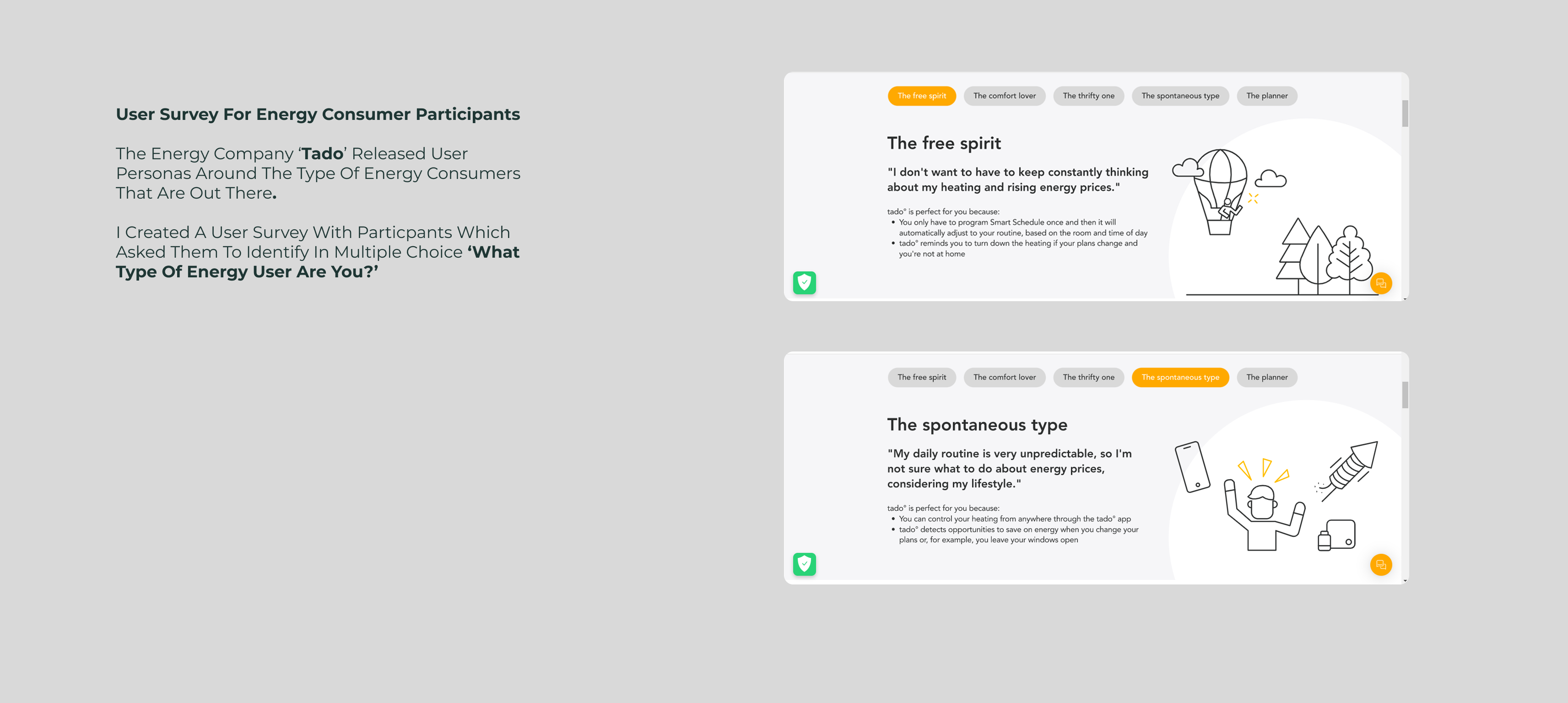
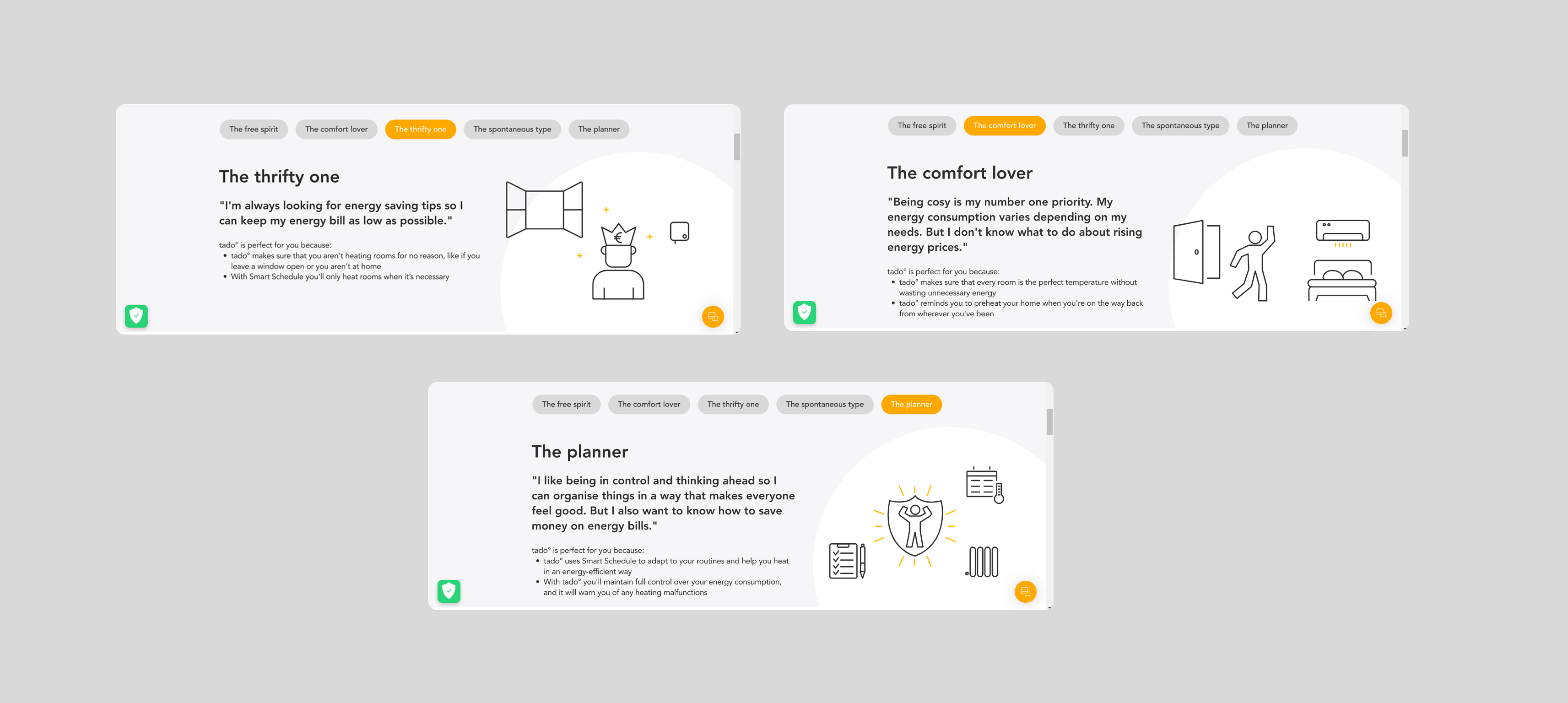
3. Which type of energy user do you identify the most with do you think? (Multiple choice options)
Users sharing a house (housemates)
The comfort lover, the free spirit, the spontaneous type, + the planner
User needs:
Mixed bag!
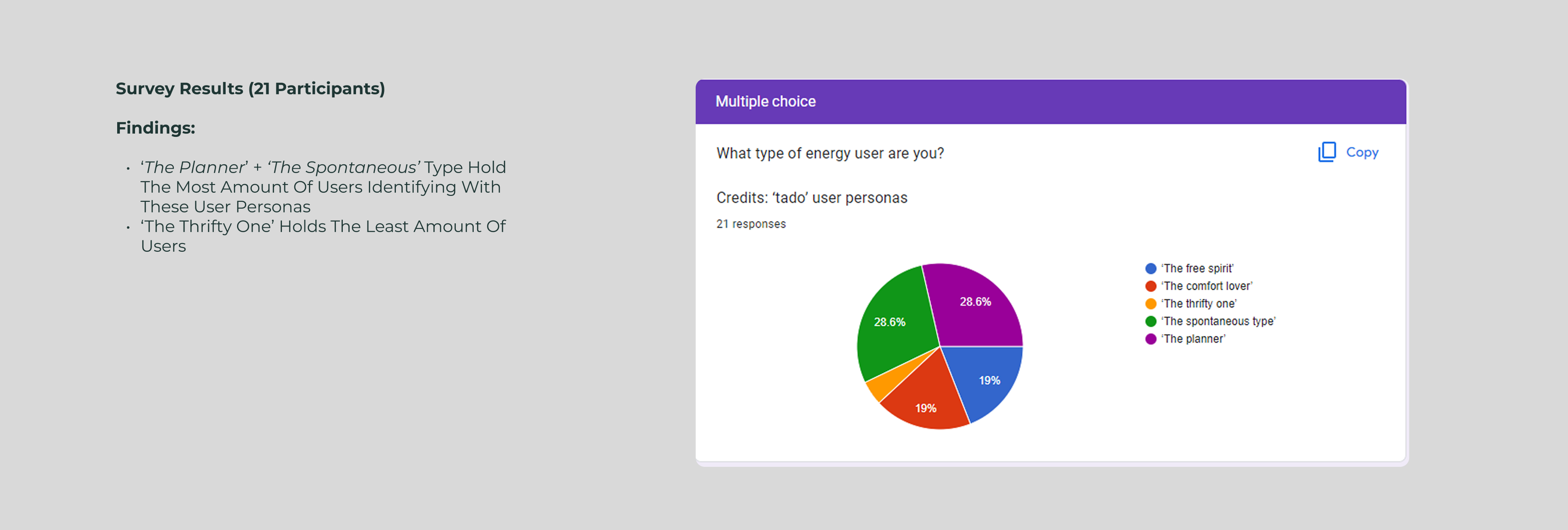
Survey Results and Evaluation:
Young people living in a family dynamic (19 - 25 years)
The spontaneous type + free spirit
User needs:
🔍Engaging and fun design concepts
Adult parents living at home (51 years+)
The comfort lover + the thrifty one
User needs:
🔍Informative and clear concepts
#2 Cultural Probe
Research methodology
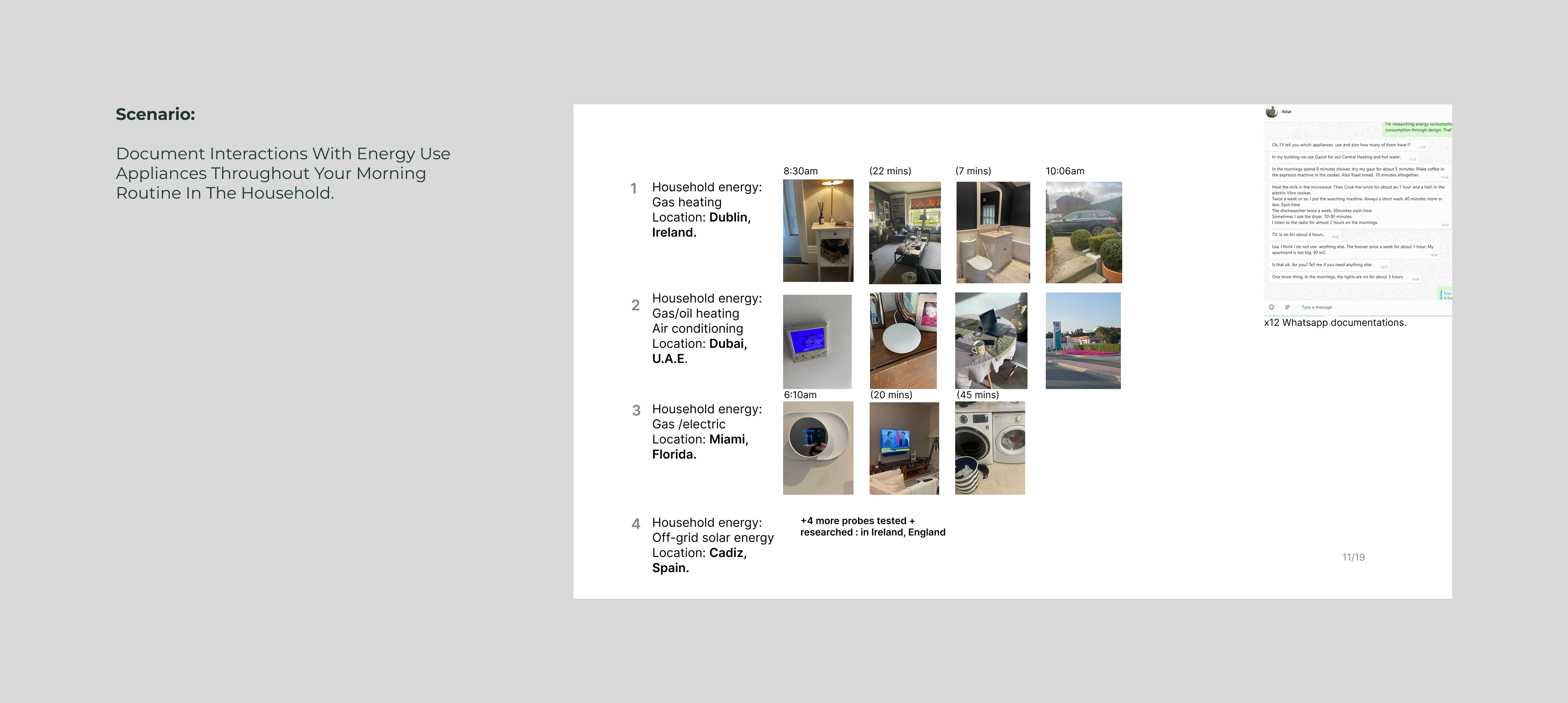
:To understand the user journey of the target audience; household dwellers, I asked participants to document their interactions with energy use appliances over a time period, their routines.

:I want to understand user behaviour of different households; what are they thinking? Are they aware of their energy consumption? Do they think about the environmental impact or the economic effect of their actions throughout their day? Do they use smart meters / devices and do they find them useful?
Participant quotes talking aloud throughout cultural probe:
"I find it useful, as when the boys forget to turn off the lights I can do it from anywhere on the home energy device" - Adult Mom of two children.

"Our house is self sufficient, so we are very conscious of our energy consumption in the morning, we have to be aware of how much water is in the well for example to be able to use the shower or the loo" - Tara, 23 years

"There are constant pings, notifications to top up my meter, it is very frustrating" - Mom of one child

"My mum kills me every time I leave the lights on" - Student, 23 years living at home
"I turn off the lights, if I remember to or not" - Student, 15 years living at home

Key findings:
- Each household has different, busy routines.
- Each household are consuming energy frequently throughout their routines.
- Not every household have a digital energy monitor device or controller, in fact a lower percentage did.
‍‍
Follow up questions:
To help visualise user energy consumptions, I shared the results with the participants in graphs of their morning routine.

- Do you find it useful to see your energy consumption?
- What is the reason for viewing your energy consumption?

I like the graph I would like to see CO2 emissions and price graph.” - Mum of three


like when you hover the highest it could give ideas of how to lower. And the low ones like praise” - Tara, 23 years
Key insights & findings
- People are motivated by primary needs and wants
- Routines of energy consumption are habitual. Individuals have a set of tasks to do each morning.
- Homeowners are primarily motivated to be energy efficient by saving money.
- Young people (GenZ) generation living at home are motivated to be energy efficient by habits they have been taught to do.

- Personal interactions with energy usage in appliances are tangible i.e. kettle (object) lighting up when in use, and clocks off when reaching boiling point.
- Personal interactions with energy whilst taking a shower are intangible i.e. use of shower (water heating) and losing track of time whilst using energy.
🔍User Needs + wants

- Individuals want real time information of their energy usage to keep track of daily spending.
- Individuals want a more inclusive understanding for younger individuals who are unaware of their daily energy consumption.
- Needs adaptable design for busy packed routines.
🔍User Pain Points

- Constant notifications
on home energy consumption devices causes stress to users
- Smart devices tend to individualise the problem, make owners feel that rising energy bills are to be dealt with by each household alone, and that adds to the anxiety.
Develop
🔍 Potential solutions for 'How can personal interactions with energy be made more visible and tangible?'
Concept 1: Interactive visual display for kids that links learnings in school to the home family life.
Educate younger individuals on the environmental impacts energy consumption has, through providing guidance and tangible tasks in the home everyday life to save energy.

Concept 2: Interactive interfaces to balance household dwellers energy budget.
Collaborate with other household dwellers to work towards a common goal. The big interface stays stationary to the home, whilst the digital watch interface allows freedom to monitor, communicate and control energy consumption 'on the go'.

Concept 3: Upgrade your home! To be more eco-efficient and economical appliances.
Using photo recognition AI software (example Google Lens) to capture appliances around your home, it can identify appliances and if whether it is in need of an upgrade. Upgrading appliances can help save energy as they are becoming more efficient.
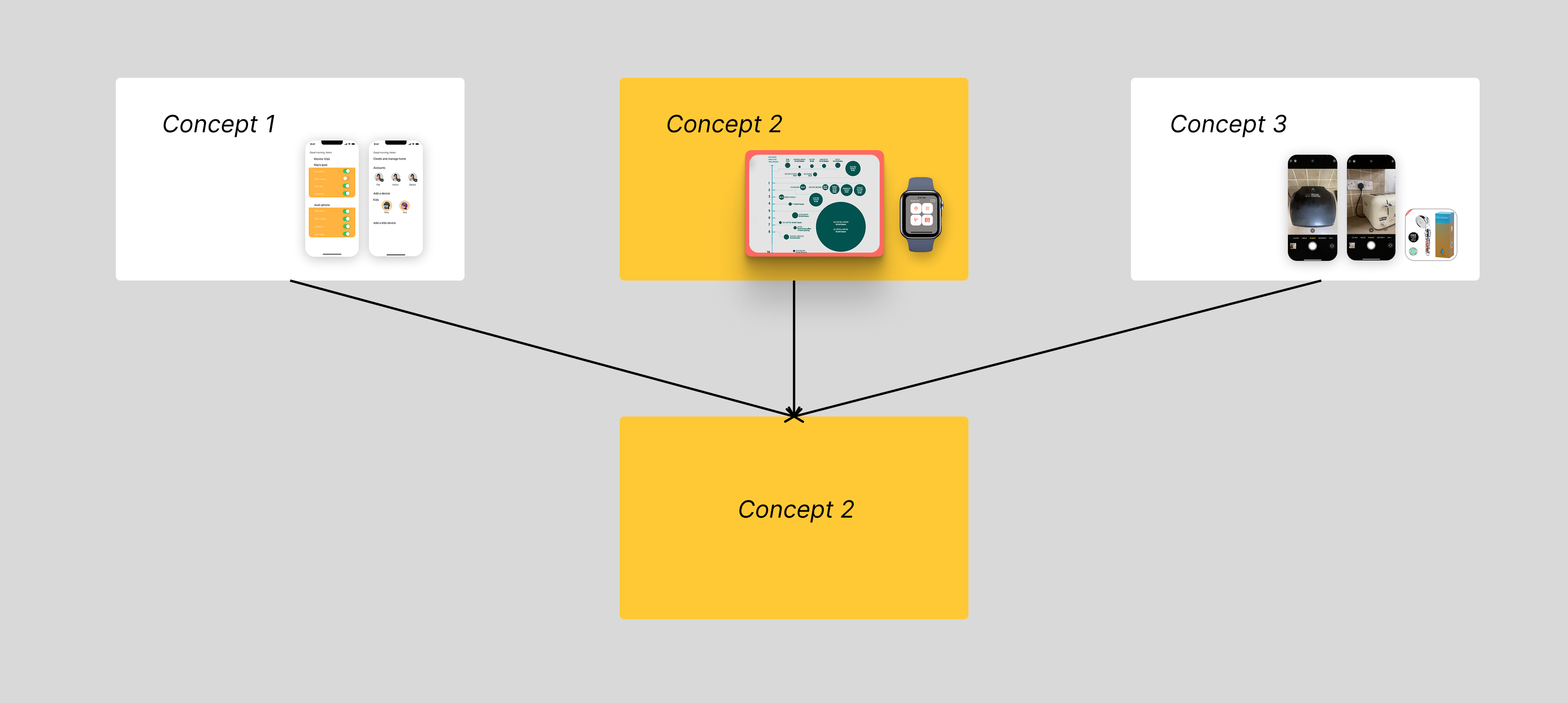
Why Concept 2?
- The most appropriate concept to meet the brief, user needs and wants.
Key themes:
- Energy saving
- Real time information
- Inclusive design for all
"How will this improve their experience? Will it save them time? Will it save them money? Will it provide them with a better service?" - Ita Langton, head of technology and transformation at Deloitte Ireland.
Expected outcomes or opportunities:
-
Create a stress free user experience with (heuristically tested) User Interface (UI) designs for the interface.
- '
On the go' application design for digital watch devices, to save users more time in their busy routines.
- Energy management application to help users save money on their energy bills.
- A tangible way to visualise energy consumption through User Interface (UI) design.
- Community, interactive feature to help encourage saving energy altogether in households.
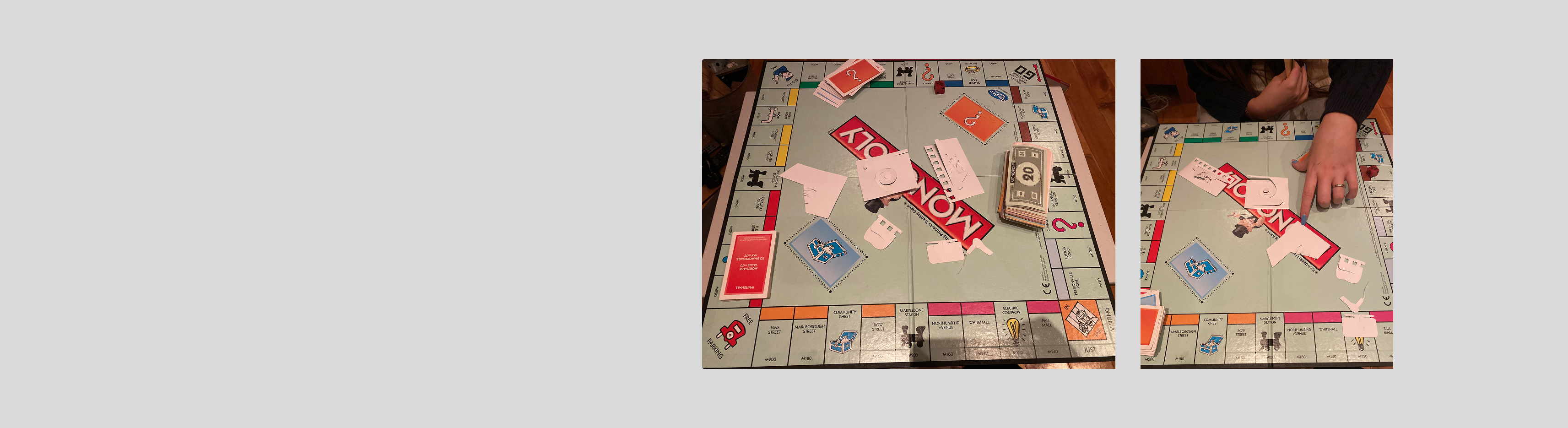
#1 Experience Prototyping Testing (cash delegation test)

Before beginning any low or high fidelity prototypes. I am testing the concept in a tangible, physical way to get an idea for how the application will operate.

This method helps identify user behaviours and how they prioritise spending when energy costs exceed their budget.

The set up
This test stimulates a real-life scenario. Users are given a set amount of cash (the budget) which they must distribute across different household appliances. The second round, a certain amount of cash is taken away, and again they must prioritise their spending on certain household appliance.
Participant quotes:

🗣 “It’s really hard to decide which appliances to cut back on. I need more guidance on what uses the most energy.”🔍 Insight: Users might benefit from recommendations or usage breakdowns in the app to help them make informed decisions.

🗣 “I was doing fine until the second round when my budget was cut—it felt stressful trying to figure out what to prioritise.”🔍 Insight: Users experience stress and uncertainty when faced with sudden budget changes. The app could provide early warnings or adaptive budgeting tools to ease this transition.

🗣 “I’d rather get a warning before I overspend rather than a message after it’s too late.”🔍 Insight: Preemptive nudges (e.g., “You’re on track to exceed your budget in 3 days”) might be more effective than reactive alerts.

🗣 “If I knew I could ‘earn back’ some budget by using less energy earlier, I’d plan my usage better.”🔍 Insight: Introducing energy-saving incentives (e.g., roll-over savings or bonuses for staying under budget) might improve long-term engagement.

🗣 “It would be motivating if I could see how my savings compare to last month.”🔍 Insight: A historical comparison feature could help users track progress and feel rewarded for energy-efficient behaviour.
Moving forward...
Emotional reactions:
Need for stress reducing features like forecasting, alerts and transparency.
Behavioural insights: 
Guide design choices for notifications, gamification and spending adjustments.
Pain points: The necessity of budgeting and prioritisation tools.
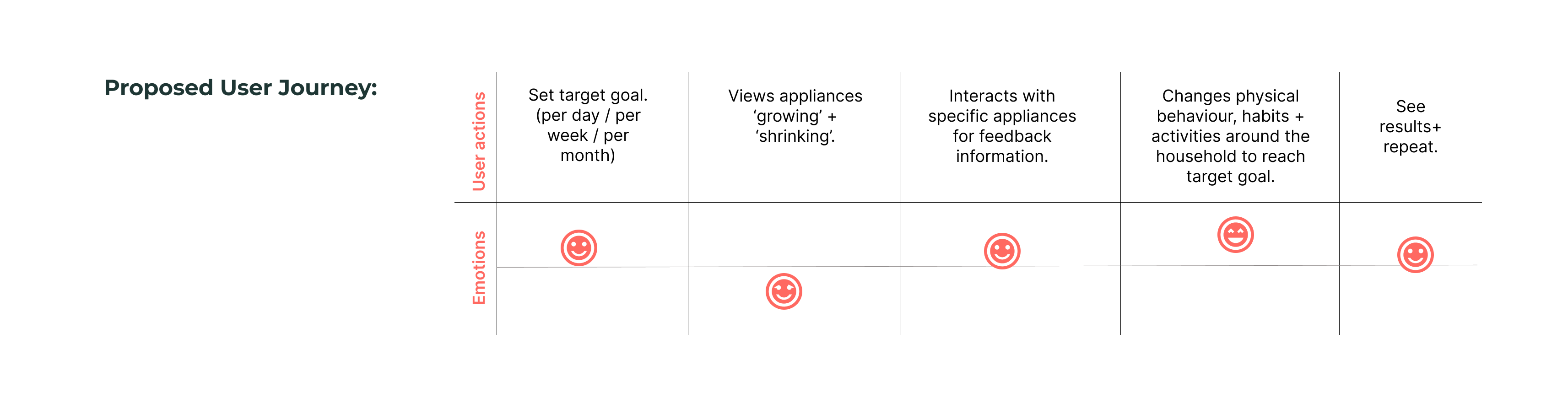
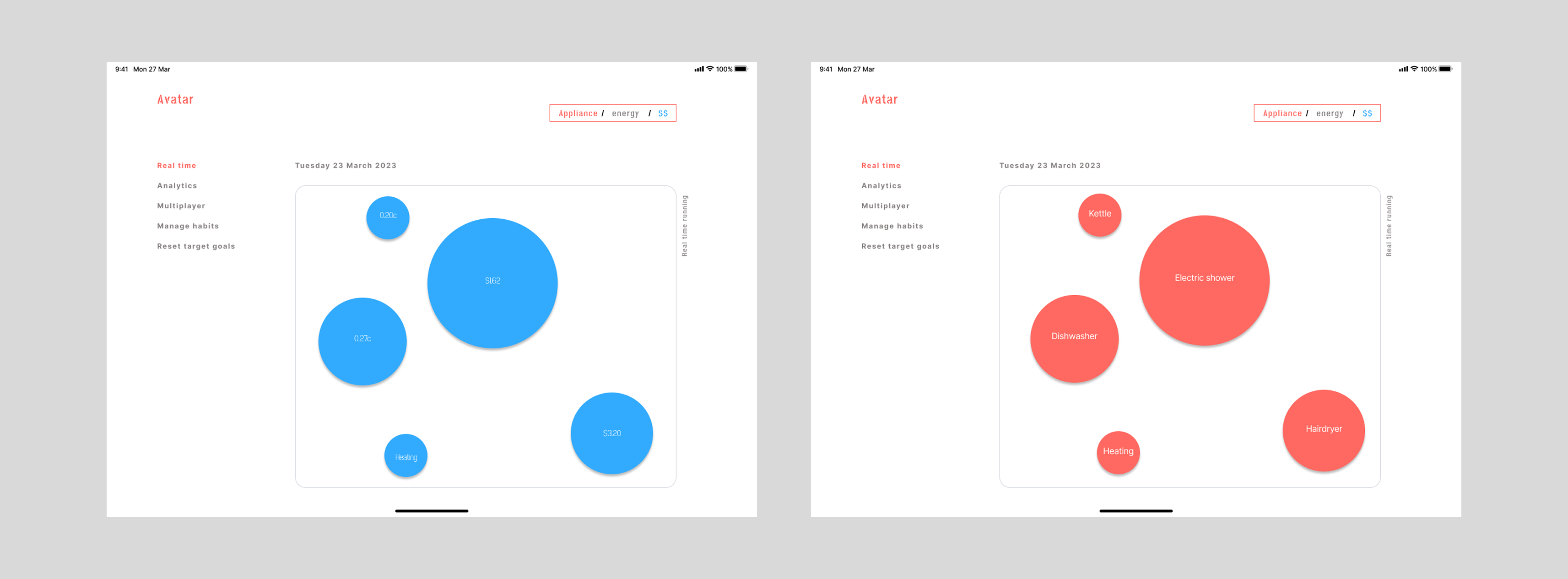
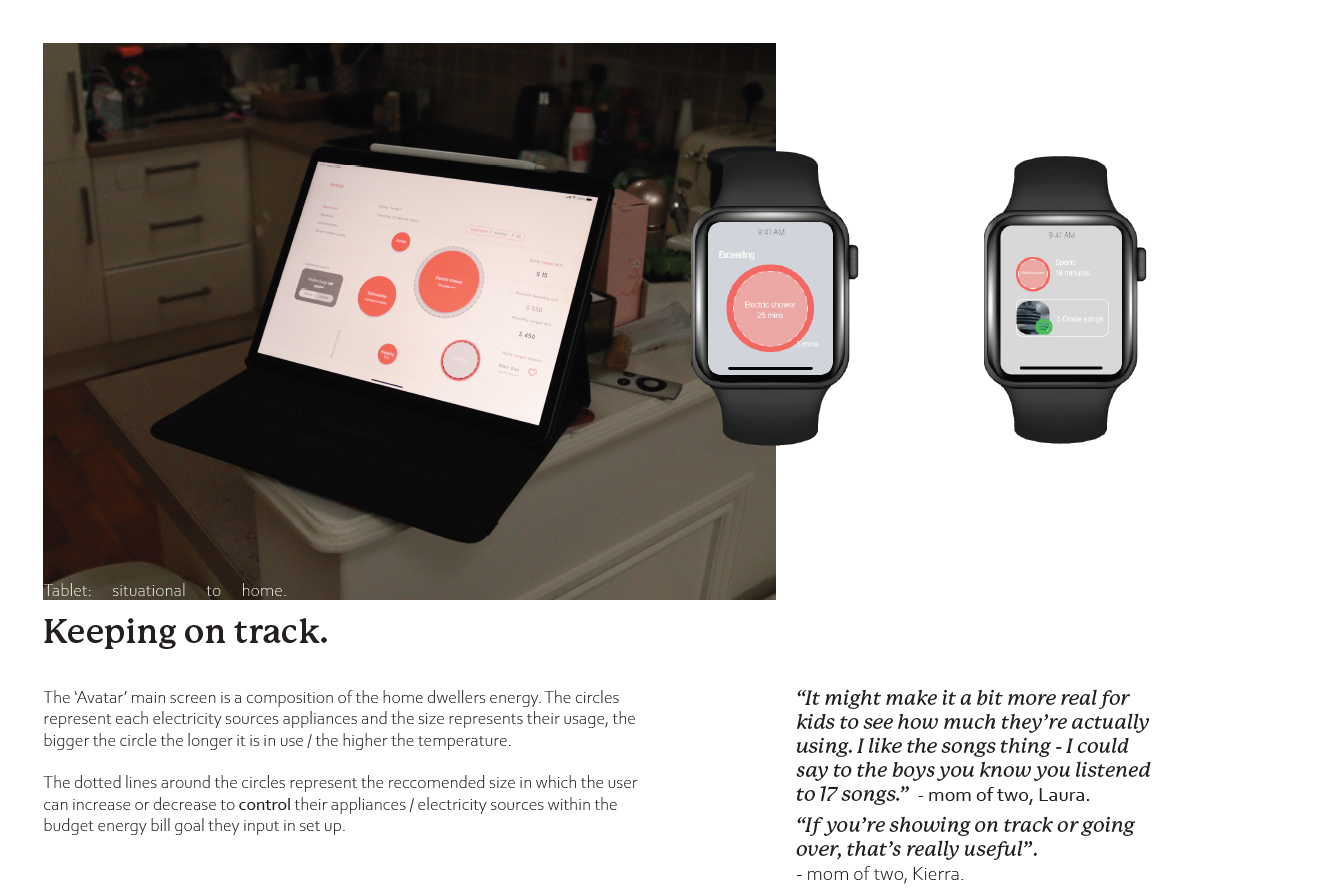
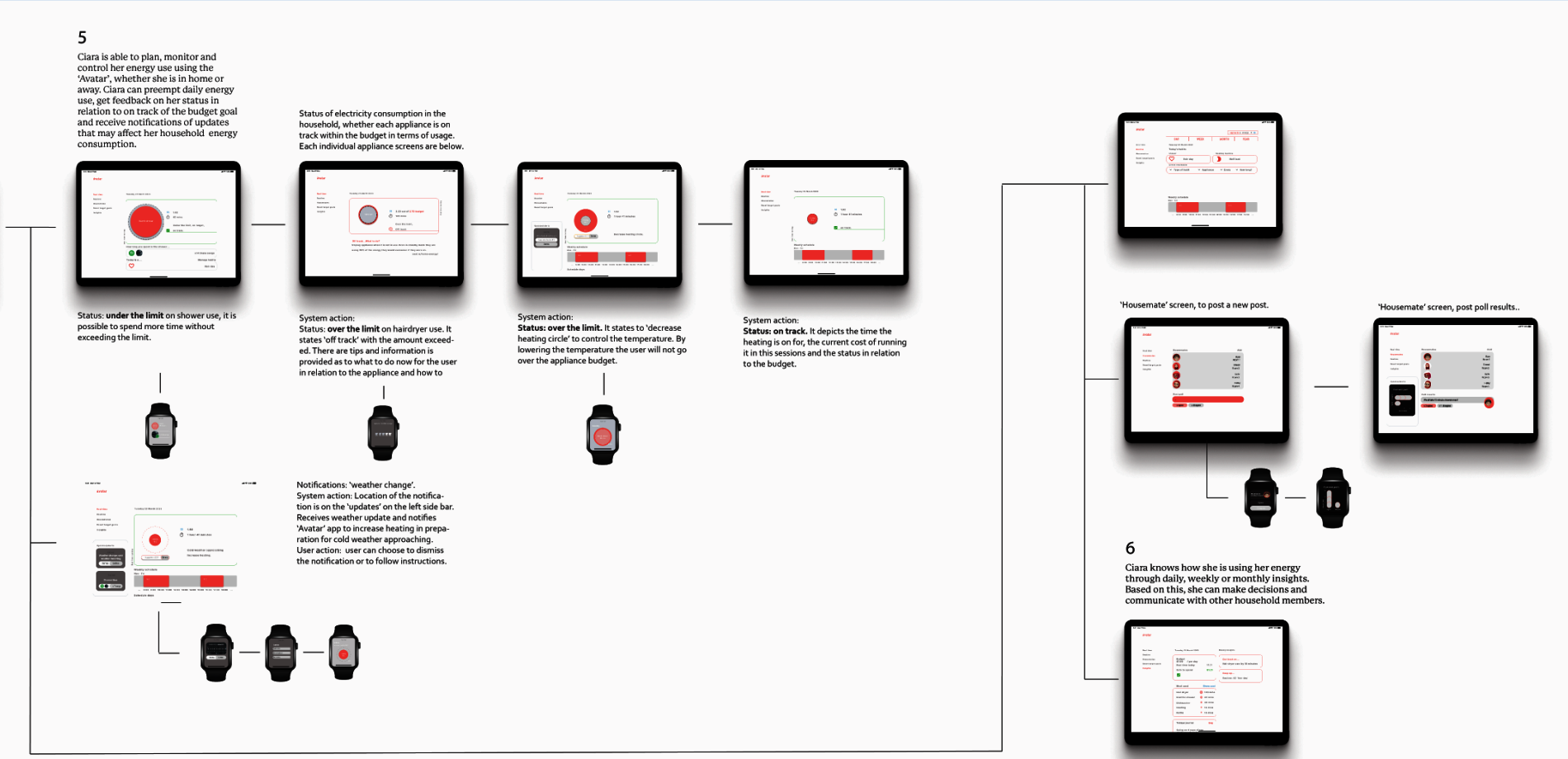
Application user flow: Set target energy spending goal (day / month / year), view appliances in real time on the interactive screen (the circles represent appliances and they grow and expand or shrink depending on their usage). The user can interact with a selected appliance (circle on the screen) and receive feedback on its status. The user can then adapt to the feedback through guided changed behaviour, creating more economical and better habits. This is reinforced with a report for the user to view results and repeat.
#2 User scenarios for usability testing
Interaction + UI design of product (app):
Alerts "off track" + black line in circle represents the budget of the particular appliance, the circle has gone over the black line.
"Could it notify when im nearing my budget limit?"
"This is helpful, but can it suggest what I should do next?”"
Insights:
Customisable alerts.
They want next steps, i.e. "try unplugging appliances overnight"
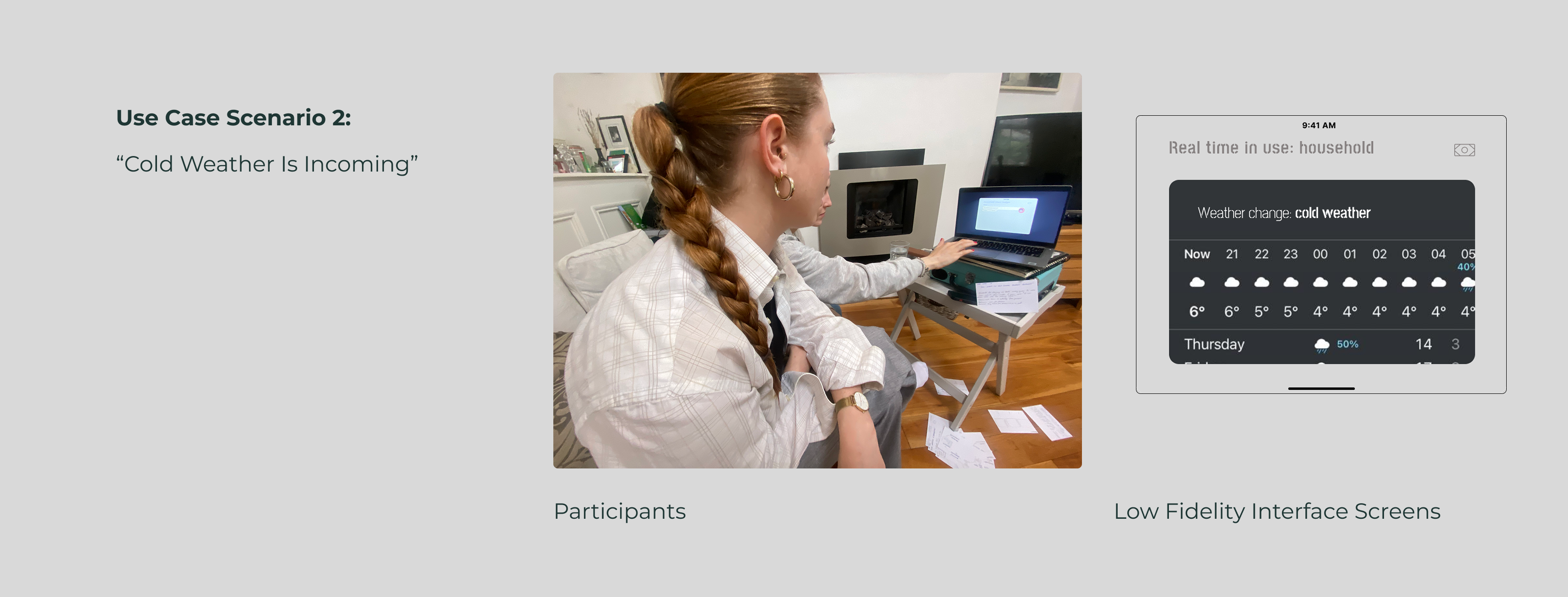
Interaction + UI design of product (app):
Preemptive notification.
"Oh that's useful now I can adjust my heating in advance"
"I wish it gave me a quick tip, like try setting thermostat to X"
Insights:
Users appreciate preemptive results.
They want actionable suggestions, not just a warning.
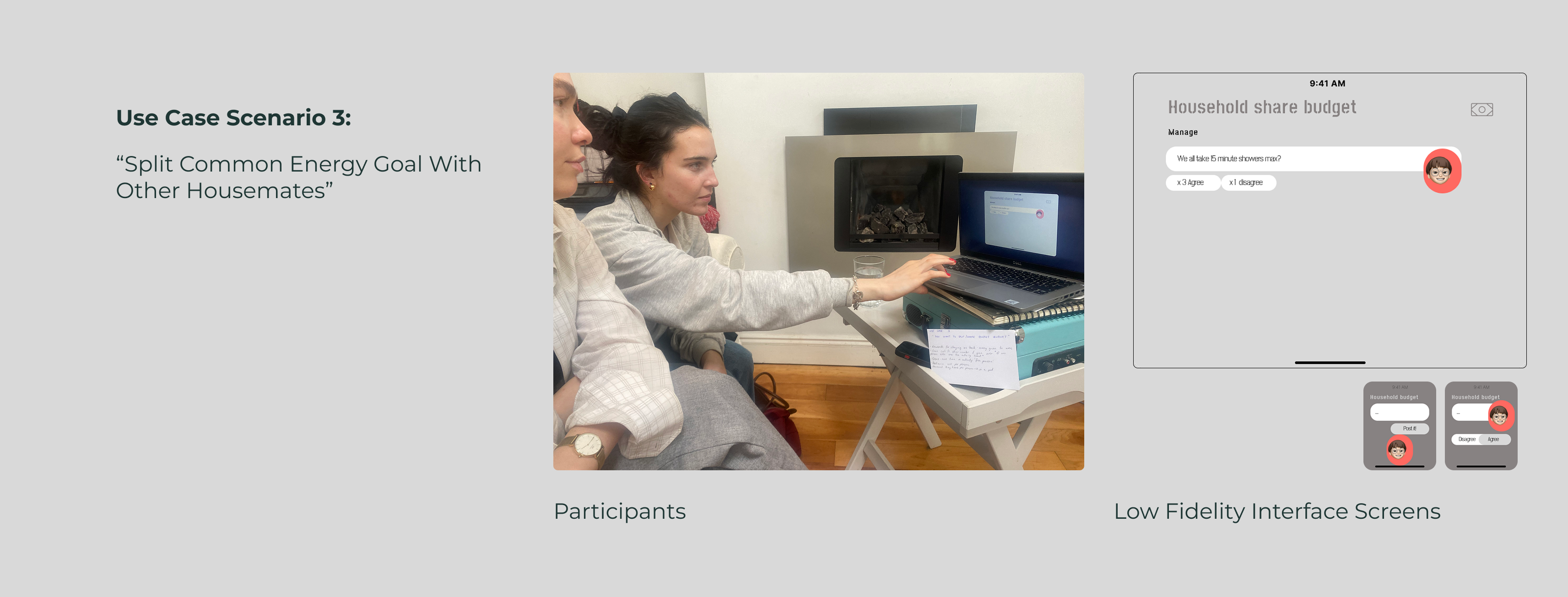
Interaction + UI design of product (app):
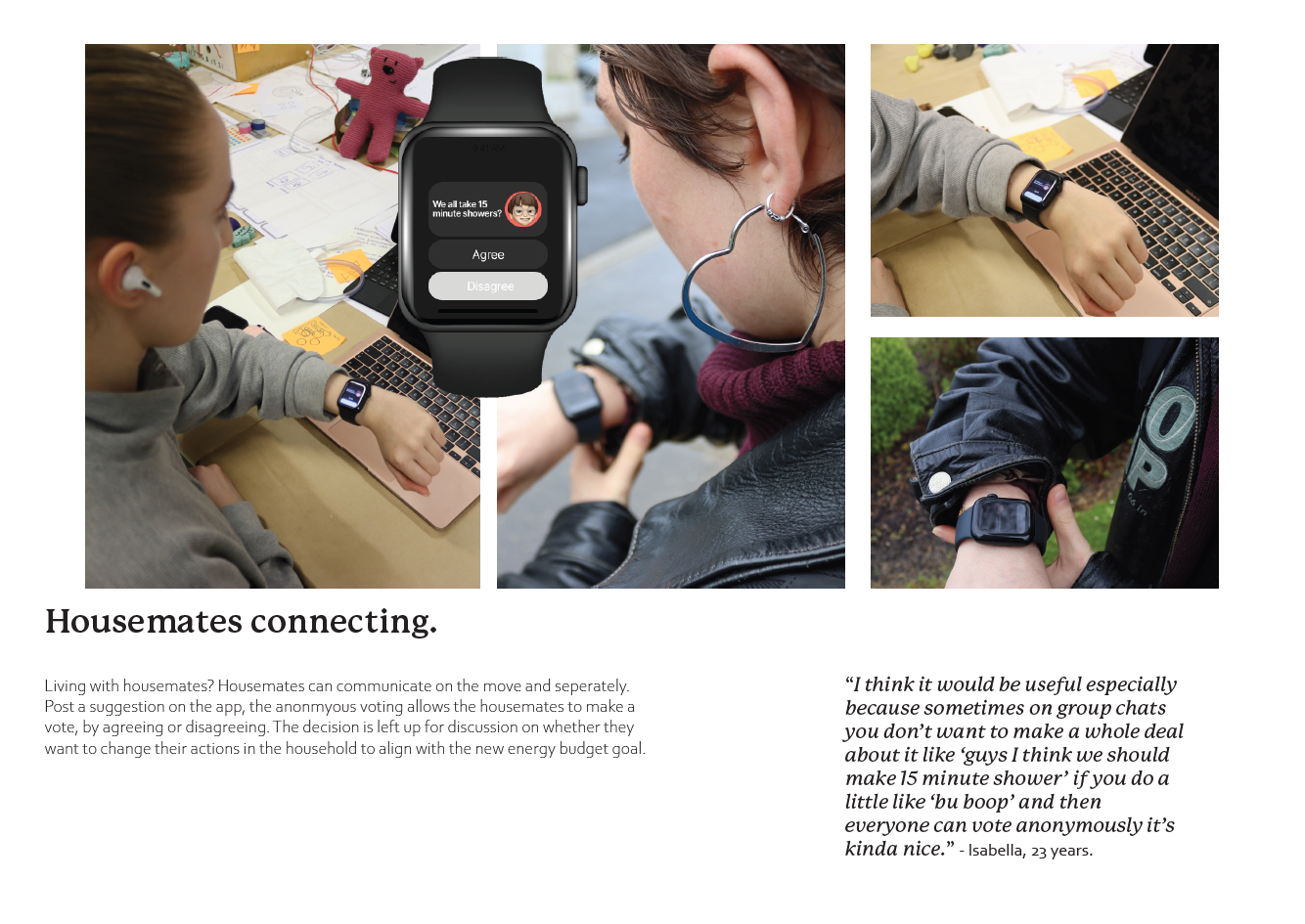
Notification pops up individually on the digital watch of users living in the household + on the sharing screen.
"I like that it encourages teamwork"
"This is cool but I hope it doesn't feel like im guilt tripping my housemates"
Insights:
Users like the collaboration but do not want it to feel intrusive or nagging.
Showing a clear impact would make the request more persuasive.

#3 Usability testing
Iteration 1 screens
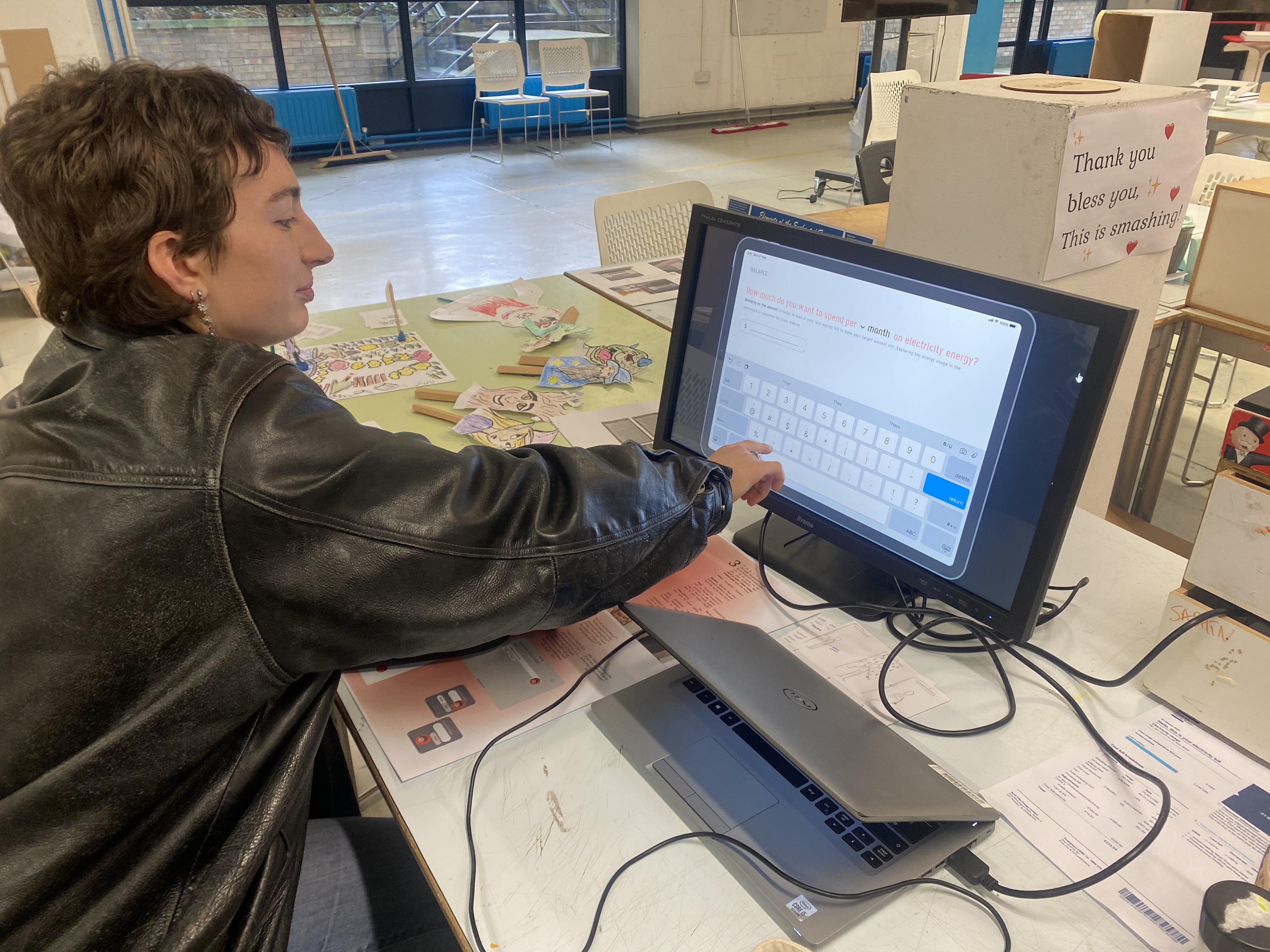
Key feedback from usability testing iteration 1 interface screens
"The blue colour is icy, not very friendly" - Izzy, 23 years. Test: Colour palette for the User Interface (UI) design
Experience design: There needs to be a threshold to represent when the user has reached or gone over their energy consumption on that particular appliance.
Deliver
Finalise solutions for iteration 2 screens
Product
x4 New Features
An energy budgeting app actively helps you budget, it supports people in the household with controlling and monitoring their energy consumption.
#1
Research Led to Design Decision:
Problem Identified: Research revealed that reactive alerts can cause user stress, while a general lack of awareness about energy consumption leads to inefficient usage and higher energy bills.
Key Insight: Users need proactive planning tools to prevent issues rather than being notified only after a problem occurs. Without a clear, actionable solution, users experience frustration and rising costs.
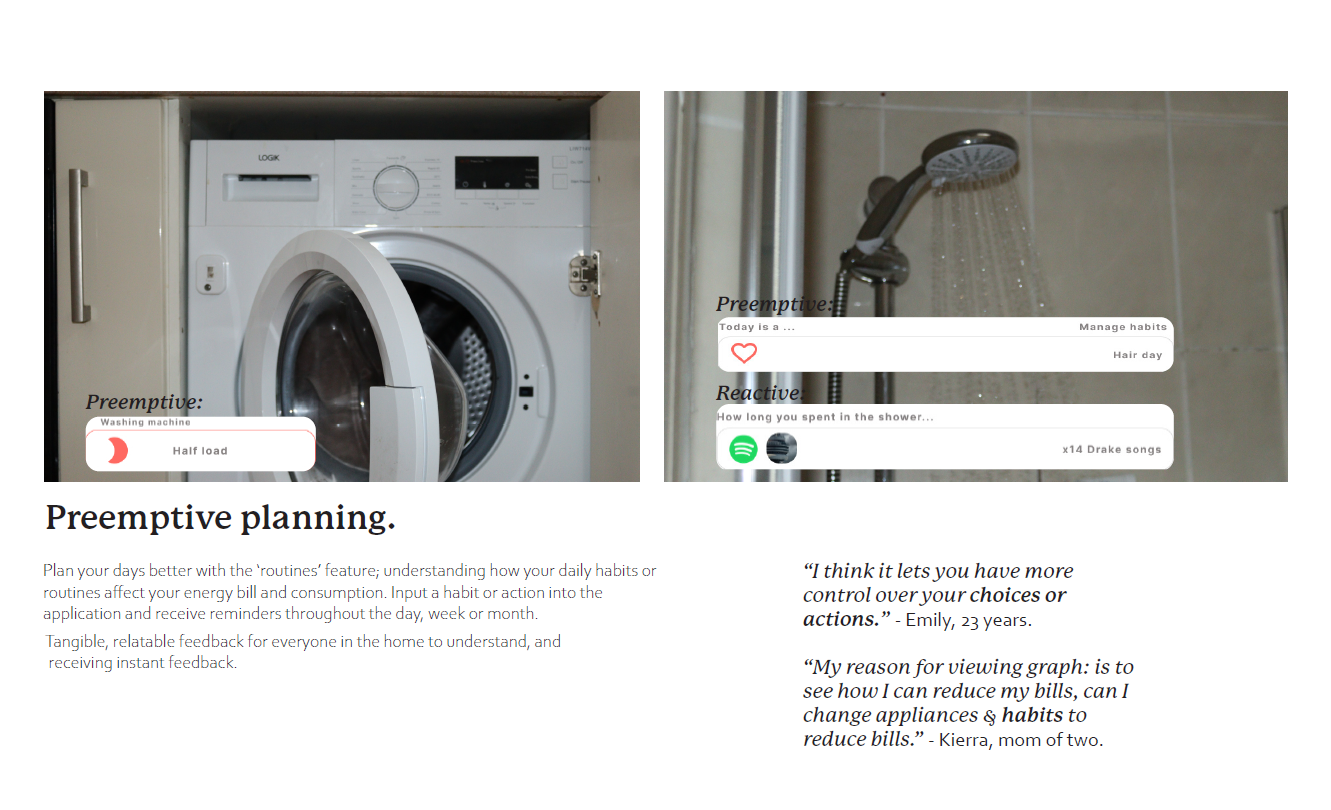
Final Design Solution: Provide tangible, relatable feedback to help household members make informed, responsible energy choices for example the duration of time spent in the shower equivalent to 14 plays of a musical artist song ('Drake'). This also includes proactive notifications, such as "Washing Machine – Half Load Day," offering clear, practical guidance to optimize energy use.
#2
Research Led to Design Solution:
Problem from Research:
Research highlighted a lack of awareness regarding energy consumption, such as forgetting to turn off lights and the inability to control certain household appliances remotely.
Key Insight: Inefficiency arises when users cannot manage appliances like heating from outside the home. This often leads to unnecessary energy usage, as devices may remain on longer than needed, increasing consumption and costs.
Final Design Solution:
1. Smart Energy Management
– A more precise way to regulate heating through real-time notifications about weather changes, allowing users to adjust temperatures accordingly and conserve energy.
2. Remote Appliance Control – Integration with a smartwatch enables users to manage household appliances from anywhere, ensuring greater convenience and efficiency.
#3
Research Led to Design Solution:
Problem from Research:
Rising energy prices and the visual design of energy applications having an emotional effect on home dwellers.
Key Insight: Users need a way to manage their energy bill, and a better design to showcase and guide energy consumers.
Final Design Solution: New interface design that is more friendly, inclusive and intuitive for users, and a goal orientated user flow design to help users who are budgeting to save on their energy bill.
#4
Research Led to Design Solution:
Problem from Research:
One household dweller takes all the responsibility for managing the energy consumption in the home.  
Key Insight: Responsibility and actions need to be split amongst other members of the house.
Final Design Solution: Housemate social chore splitting application to work towards a common goal within the energy budget.

🔍Reflection + conclusion + improvements
- Enhancing the app with a gamified experience—offering rewards for meeting budget targets, for instance—could further encourage users to adopt more energy-conscious habits while helping them save on their energy bills.
- Provide monthly progress reports comparing past behaviour.
Information Architecture
User Interface (UI) screens for Ipad device and Smart Watch devices.